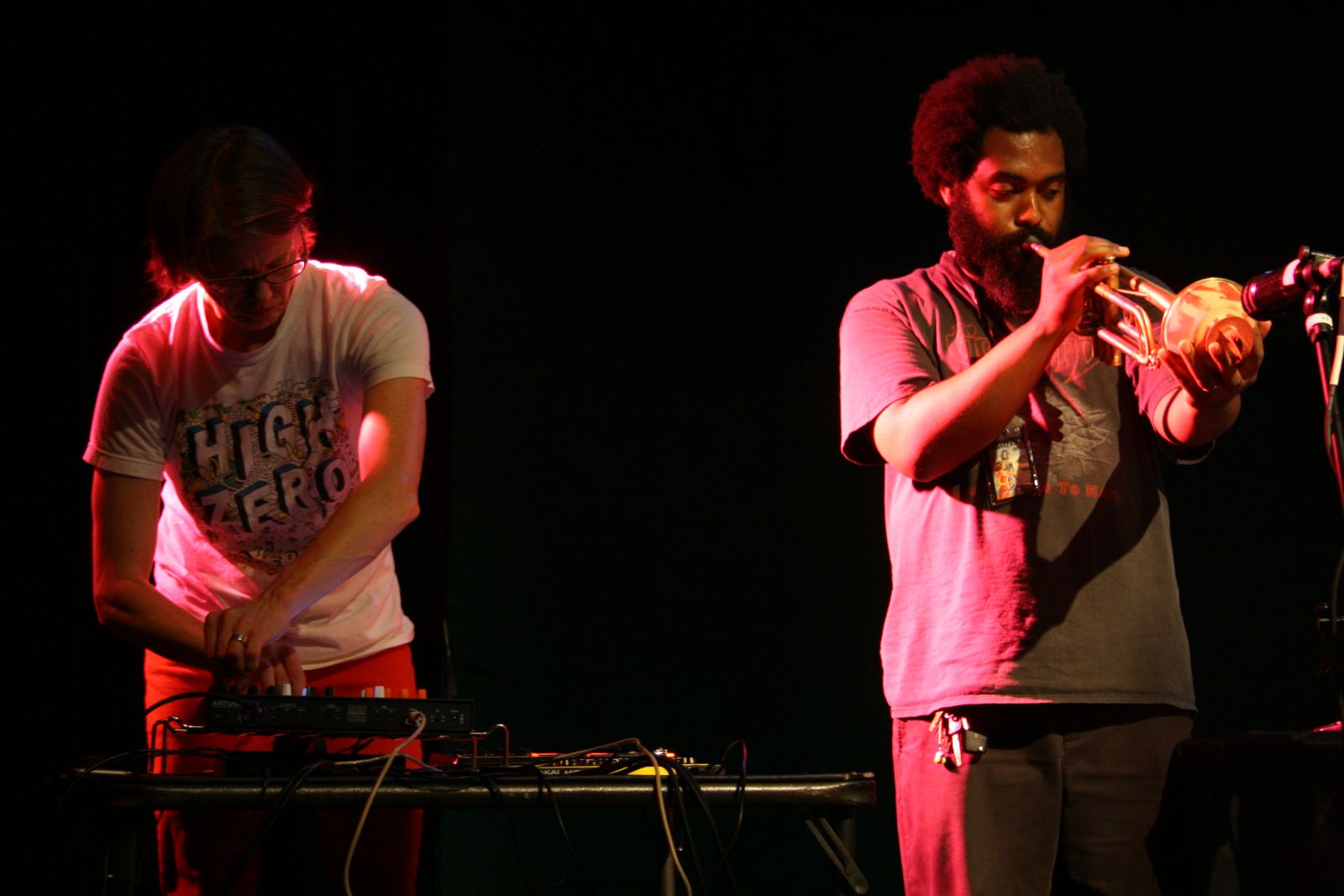
(Photo credit: Stewart Mostofsky)
Live-sampling setup
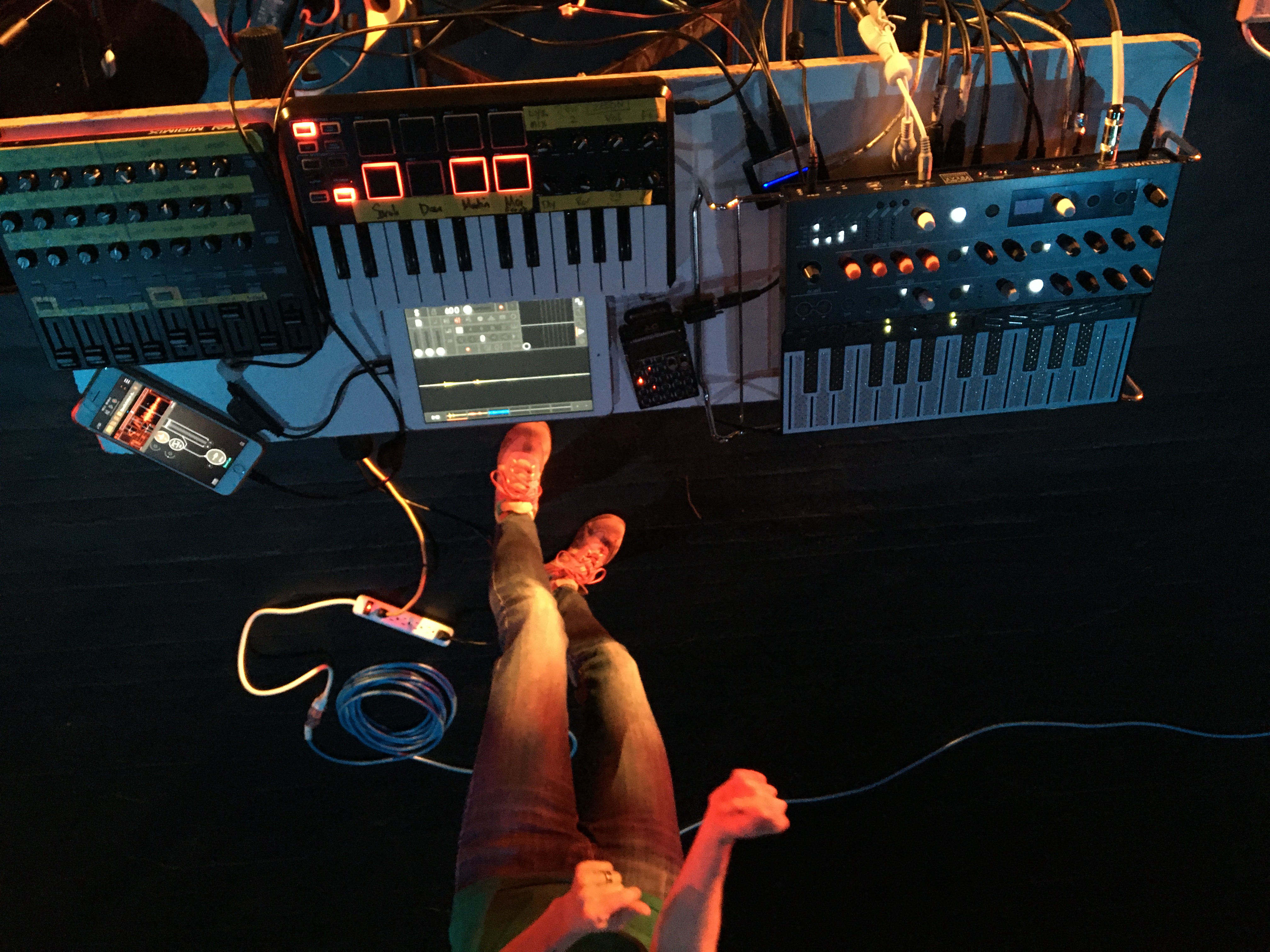
(Photo credit: MC Schmidt)
After many happy years using a really hopped-up configuration of LiSa (see references to my OOC setup below), in 2013 I got what some people might call a sign from the universe: On top of LiSa not being supported past Mac OS Leopard, my performance laptop, which I’d frozen at Leopard, got stolen from backstage at a festival during tech rehearsals. (Short version, I had a backup of my setup and I had my spouse’s similar laptop, so the show went on just as it would have – plus some tears, nausea and ID-theft protection purchased by the presenter.) And then immediately following that weekend festival gig, the conductor of our ensemble – my dear friend and mentor JA Deane – ended it after nearly 15 years. #sad
Put mildly, it seemed a good time to move on. I wanted something really different, and especially really small after lugging around a rolling rack case and enough mics and cables to live-sample a 13-member ensemble for ages. Enter iOS.
Here’s a little bit clearer image of the 2026-era setup:
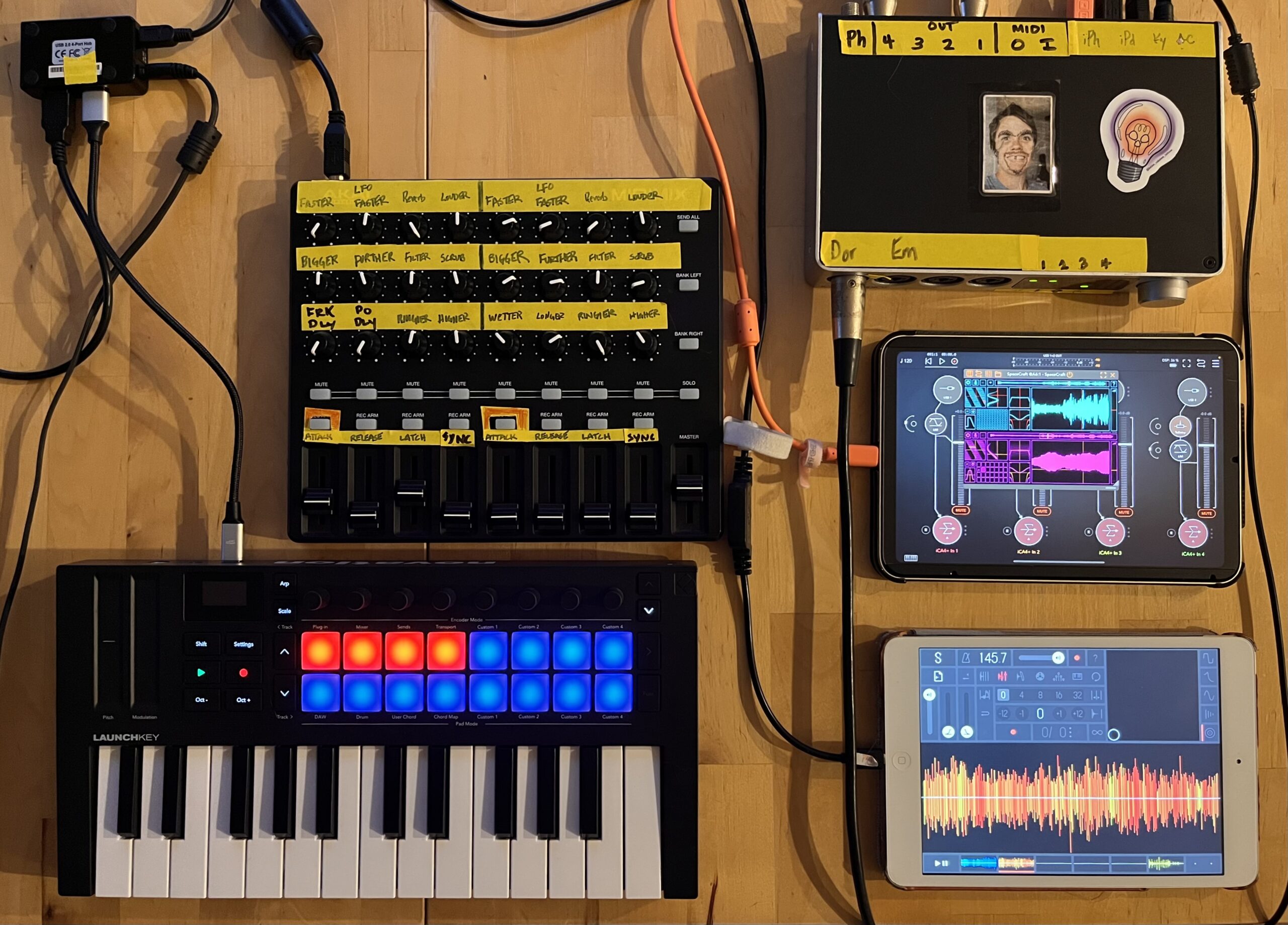
- Along the top of the image are an Akai MIDIMIx and an iConnectivity iConnectAudio4+ audio/MIDI interface.
- Bottom left is a Novation Launchkey Mini 25 MK4
- The two iPads are a 2013 iPad mini and an iPad mini 6.
Here’s how it works.
- The 4-input iConnectivity interface supports two devices and can send audio/MIDI between them. Both iPads are connected to it.
- When I’m playing solo, I use my own sound sources like an Arturia MicroFreak and a mic in channels 3 and 4 of the interface so they can be sampled and also amplified if desired.
- When I’m playing with other people, I have audio from them in all four inputs, and I can live-sample them independently.
- I use the lower red pads of the keyboard in conjunction w/AUM on the iPad mini 6 to mute/unmute the four sampling inputs.
- The 2013 iPad mini is running Samplr and can sample from all four inputs on the interface.
- The iPad mini 6 is running
- AUM to handle all audio routing and MIDI mapping
- SpaceCraft granular synth, which can sample from all four inputs on the interface.
- Sometimes Zeeon, a great-sounding analog synth emulation.
- The Launchkey does a lot:
- As mentioned, the pads shown red in the picture mute (red)/unmute (green) the interface’s 4 audio inputs.
- The keys play SpaceCraft’s two samplers on Ch 1-2 and Zeeon on Ch 3.
- The dials control Zeeon parameters.
- The MIDImix controls
- SpaceCraft: left half is channel 1, right is ch. 2. Per channel, I’ve got:
- instantaneous sampling
- filtering
- reverb
- LFO rate
- LFO distance
- grain size
- grain playback speed
- scrubbing
- volume
- attack
- release
- latch (sustain pedal)
- sends to AU:FX Dub (delay) for SpaceCraft, MicroFreak, etc. as well as the delay’s wet/dry mix and delay time.
- SpaceCraft: left half is channel 1, right is ch. 2. Per channel, I’ve got:
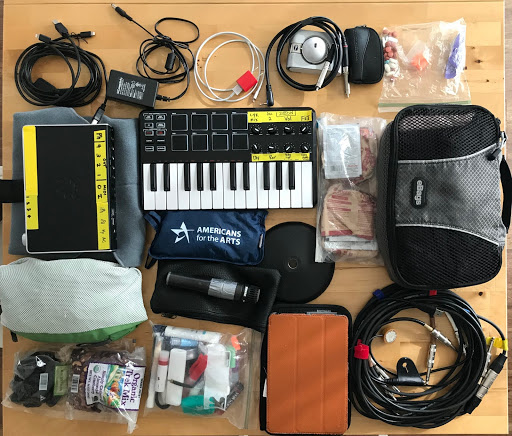
I played 3-day jaunts to NYC and Chicago for my beloved High Zero’s 2018 festival tour with just this in a single backpack, and it was heaven:
A little background
Starting with bounces between cassette decks as a kid and later ridiculously long tape loops in Miami University’s basement music lab, I’ve always been fascinated with field recordings (and mangling thereof). I expanded on this during my master’s degree at the University of New Mexico, emerging with a custom performance setup for real-time sample manipulation that combined Max patches on a hot-rodded Mac SE with an Ensoniq ASR-10.
Here’s an excerpt of my performance piece Elevator Music, which is based entirely on recordings of elevator machinery.
Over the next several years performing as a soloist and on sampler/live sampling with Out of Context and mJane in and around New Mexico, I settled on a laptop rig centered on LiSa from STEIM plus a custom Max patch. Particularly with OOC, where I was live-sampling 10 or so other performers, each on his/her own input of my first-gen MOTU 828, I’d occasionally route through Live or MainStage for compression on the way in.
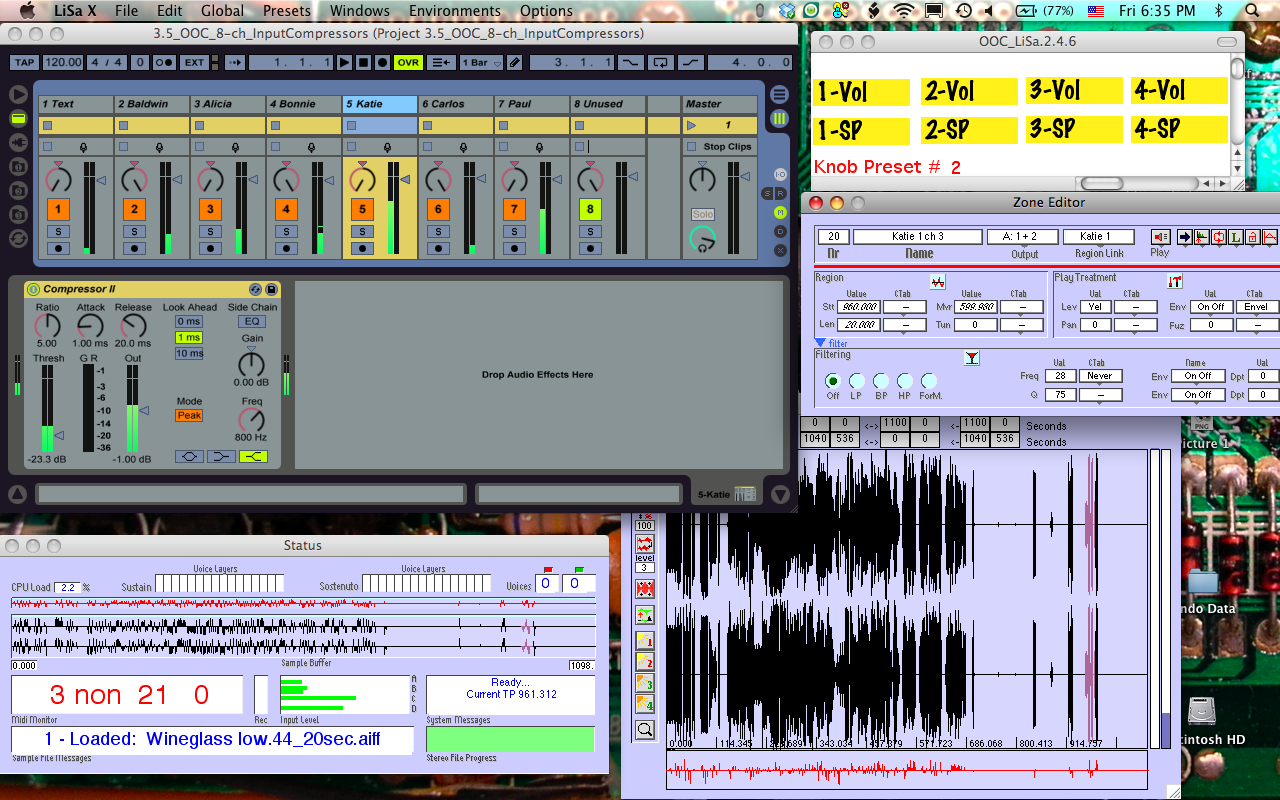
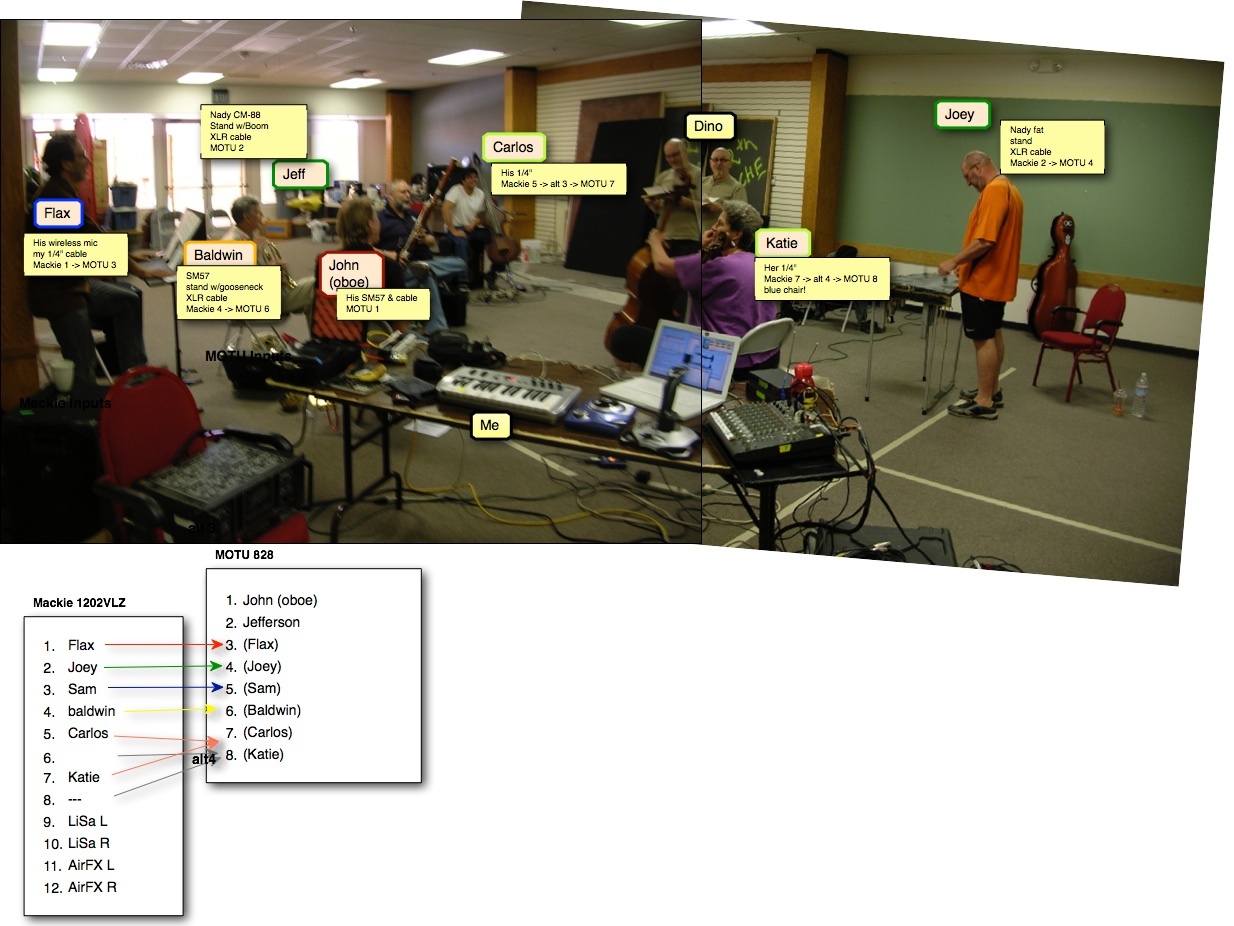
With OOC, it was vital to stick with a stable setup to develop some level of virtuosity – speedy response and artistry, really – so that’s what I did, with a midiman Oxygen 8 and a Logitech Extreme 3D Pro, both hijacked and customized in the Max patch.
As for the solo pieces, I’ve tended to use a different combination of controllers for each one based on the piece’s theme. At some point I put a lot of thought into why rock’n roll shows, of which I have done and seen my share, are so much more exciting to watch (typically) than experimental electronics shows. The answer I came up with was threefold:
- physicality – It’s way more fun to watch a drummer pound away and sweat buckets than to see someone make infinitesimal movements on a trackpad, as if she’s checking her gmail.
- risk – We shouldn’t charge money and then press Play and sit back. Boo. It’s a lot more thrilling if you know the whole thing could fall apart at any moment – and that the performers actually worked at rehearsing so that it wouldn’t.
- a clear association between cause and effect in the performer’s actions, so that the audience isn’t mystified (or bored) by that part of it – When a guitarist screams up the neck, listeners know what to expect, and that’s part of the excitement. This ties closely with physicality, of course, but extends into making it possible for the audience to associate specific movements with specific (musical) results. “Ah, when she hits the drum pad harder, the pitch gets higher. Cool!”
Solo pieces include:
- Elevator Music – manipulations of various recordings of elevator machinery, performed originally using the ASR-10 + Mac combination, but under development in 2015 as an iPad piece using ThumbJam and Samplr (see video above)
- Gun Control – manipulations of a 3-second recording of a gunshot, performed using a drumKat and a Behringer FCB1010
- Here’s an excerpt from Gun Control:

-
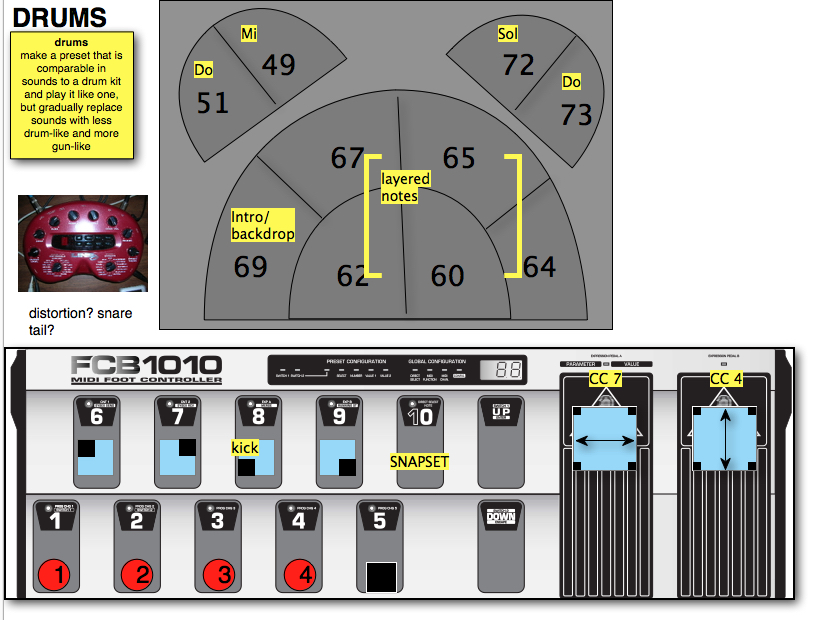
Setup for performing Gun Control using a DrumKat and a Behringer FCB1010 foot controller, and a POD multi-effects unit 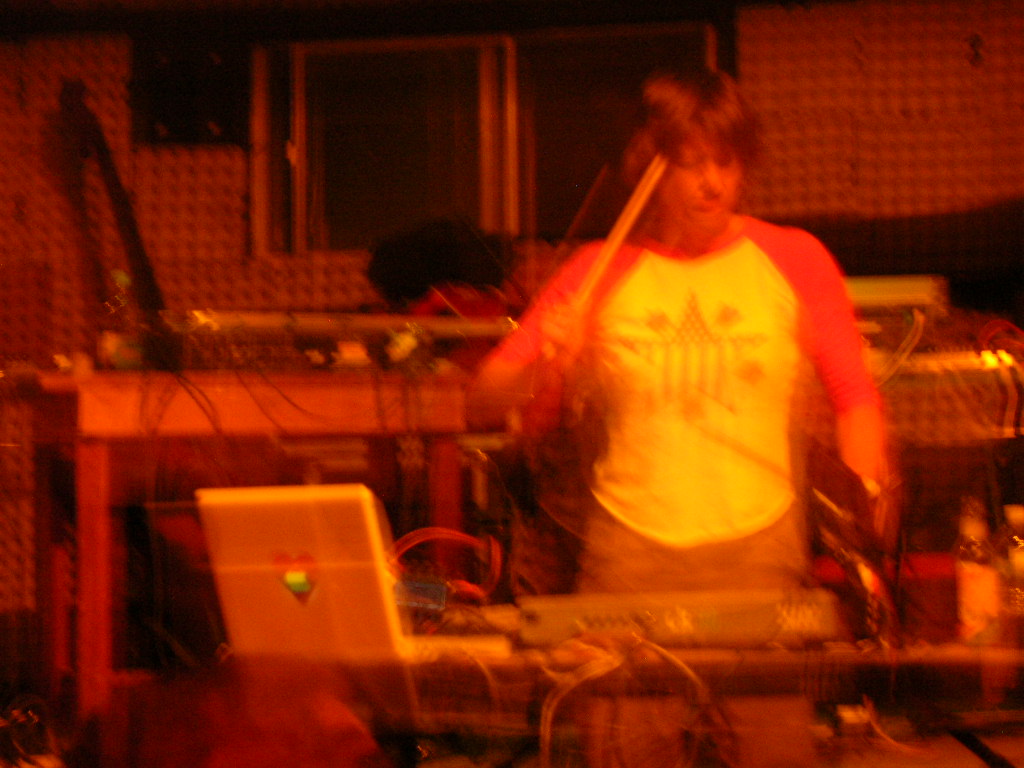
Gun Control Live at High Mayhem, Santa Fe, NM 5/27/2006
- eFfeM: Short Pieces for Vibrators and Radios – manipulations of recordings of various vibrators, performed using a Logitech Extreme 3D Pro joystick and a mini controller keyboard. The concept came from an invitation to perform at Tune(In))) Santa Fe, a micro-transmitter show in which the performers overlapped each other but were broadcast on different radio frequencies so that outwardly, the show was silent, but attendees received walkman-style radios on which they could tune in to the different performers as they pleased. It was at a museum of modern art, so the audience could walk among the sculptures and such while listening to music. I took the idea of FM (frequency modulation) from the show theme and thought it would be cool to explore that concept using vibrator samples – shifting from pulsing beats to discernible pitches and back – and of course using an appropriately phallic controller.
- Here’s an excerpt from eFfeM: Short Pieces for Vibrators and Radios:
-
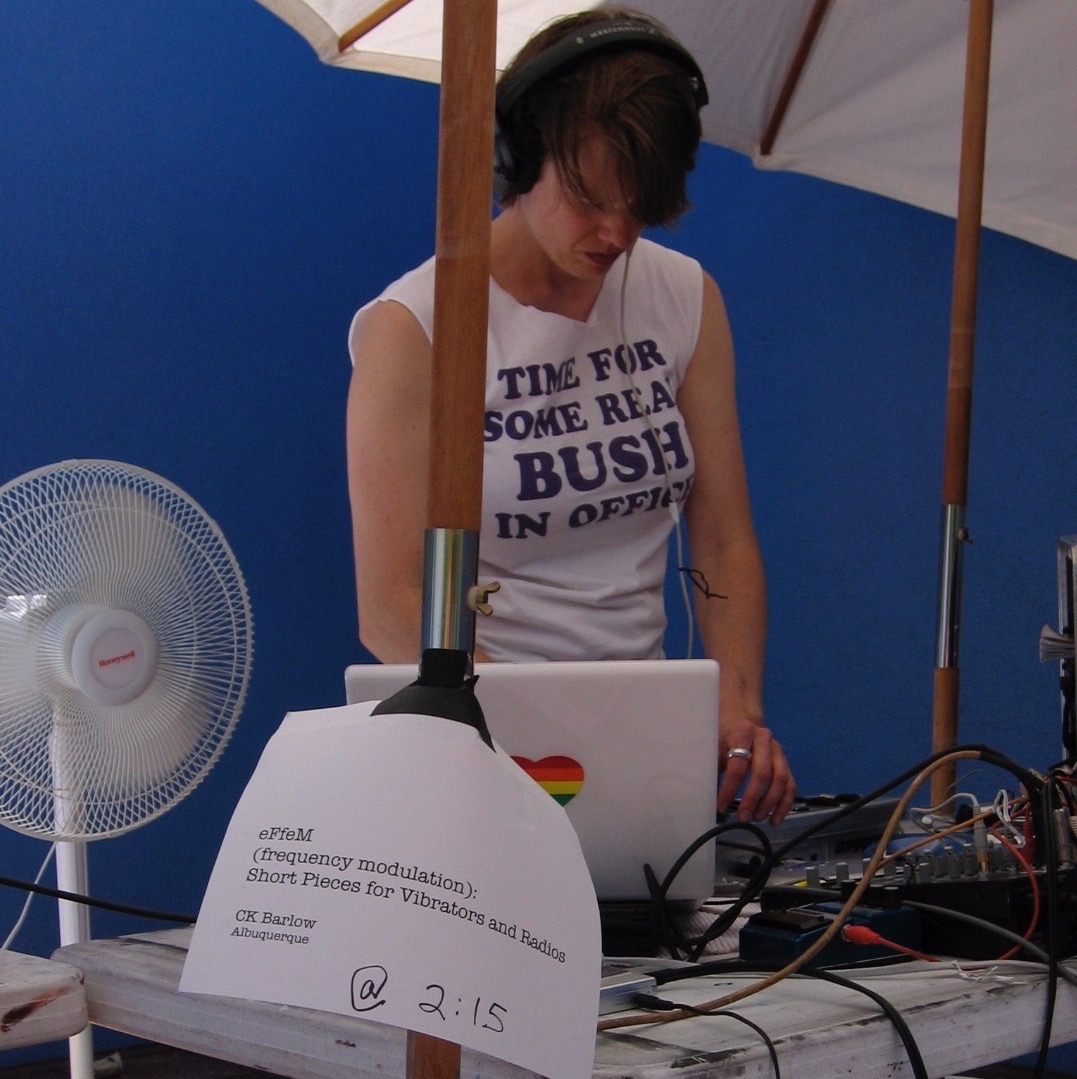
eFfeM at Tune In Santa Fe
- Land and Sky – manipulations of recordings from a hike to Nambe Lake, including footfalls, streams, insects and birds; performed using MainStage wrapped around Izotope Iris, with an Akai MPK Mini controller keyboard and an Edirol UC33-e fader box. Accompanied by processed photographs from the same hike, taken by Karen Milling.
-
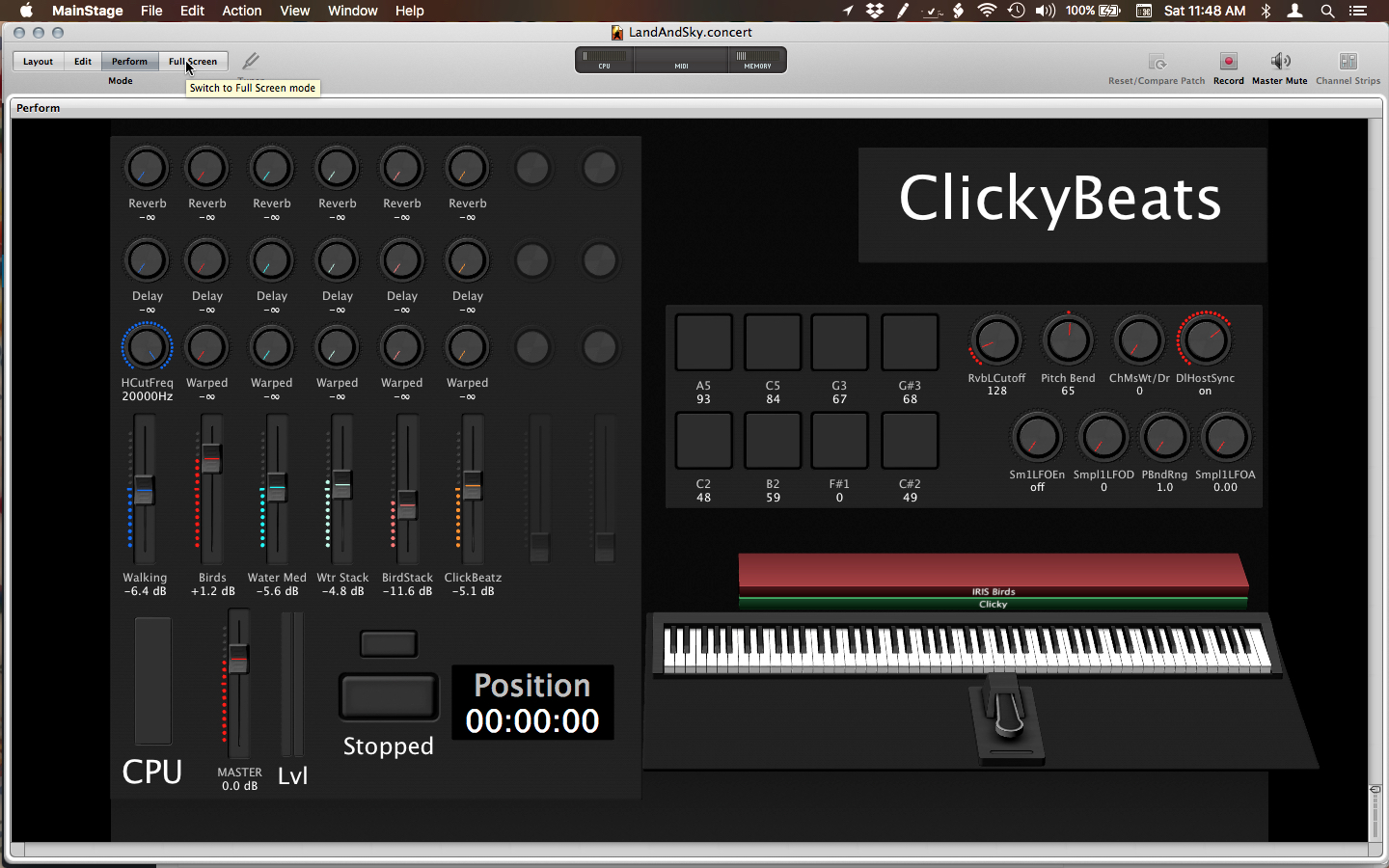
MainStage setup for Land & Sky using UC-33e and Akai MPK Mini
-
- Grid Management – manipulations of processed electrical sounds recorded in my house (an old tube TV starting up, a close-mic’d CFL, etc.), performed using LiSa, Nodal + a custom Max patch and a Wacom tablet. This piece is projected from my laptop so the audience can watch as I build a network of nodes in Nodal, each node triggering a sound. The fun challenge of performing this one is that I can’t at any point create a dead end in the node network or the piece will stop producing sound, and by the end I’ve produced a fairly complex nodal network that represents the electrical grid, color-coded by voltage levels, in the United States.
- Here’s an excerpt from Grid Management:
-
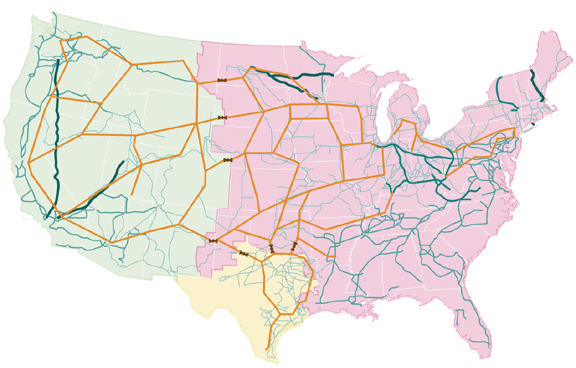
High-level representation of US power grid 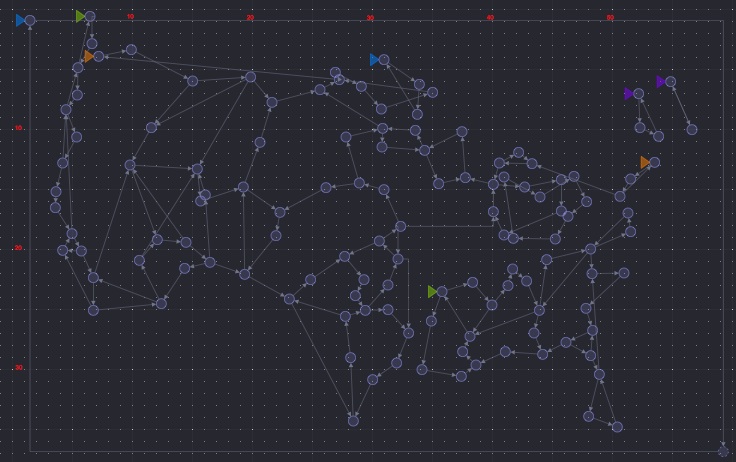
How my screen looks when I finish the piece